I’m in the very fun period of making changes to the game while close to my hand-in.
As a PRECAUTION, I am going to package my project now incase anything goes terribly wrong in the next 29 hours.
We’ve been shown how to package our games on monday, where I made some of the simple changes following the latest playtest feedback.
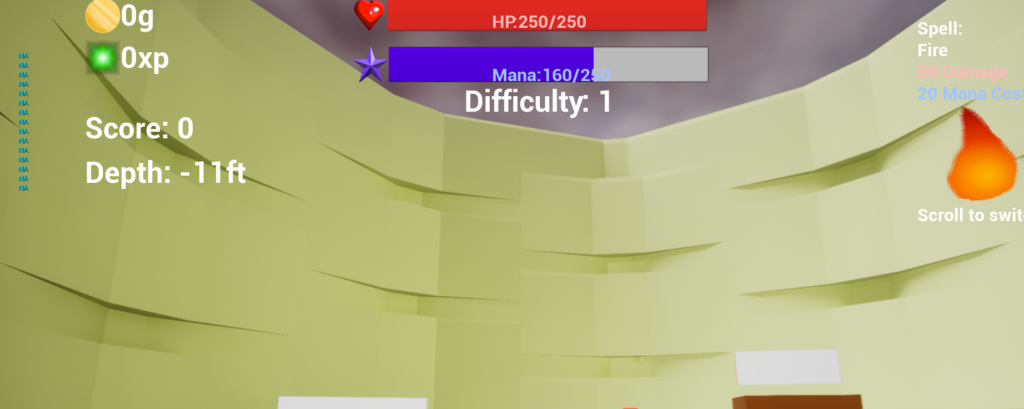
The game is fine for the most part however it’s still printing string.
For my final build, I want to add some minor details that will make the game feel much more whole, such as some sound effects and textures, maybe some particles depending how well I use the next 25 minutes.
On sound effects, I want to add a sound when enemies spawn and die.
Some audio I was having issue importing to unreal engine due to formats, but I quickly tried importing the sounds into audacity and exporting as .wav which is a format that unreal supports.

The engine doesn’t like some of the files that I download as WAV anyway which is confusing, annoying and I wish I had more time to understand why but there’s not enough time for it right now.
I think it’s good to give every action that impacts gameplay a sound, as they are audio clues that something is happening, it helps a lot with spatial awareness for events happening in the game-world as well which is why I wanted to include a spawn sound so much so that it’s harder for the player to suddenly get swarmed.
I really wanted to add some sound queues when the start button is pressed, a good number of games have a special sound that plays, which hypes the player up a bit and clues the big action is going to start (Like in Plants vs Zombies, when a wave starts a sharp ‘thriller’ sound plays, and a happy chime players when the round is over). Sound design is a really important element in games and I completely overlooked how in-depth it can go, in a future project I think it would be really good to form a list/map of sounds a long the way that would likely want to be included.
SO anyway, I found a boom sound to be a dramatic effect when the game starts and a chain sound.
Screenshake is another big effect I wanted to add aswell, mainly to help as an indicator when the player has been hit by knocking the camera around a little. https://www.youtube.com/watch?v=rTVb7nEhKv8 provides a quick and simple demonstration for setting one up, and the shake blueprint easily be set up for other events aswell.
After getting a shake-on-hit set up so it’s really clear to the player when they’ve been hit, I went ahead and added a little shake that plays when the player casts a spell, and the shake scales with the damage of the spell aswell so there’s a different feel whenever each spell is being cast.
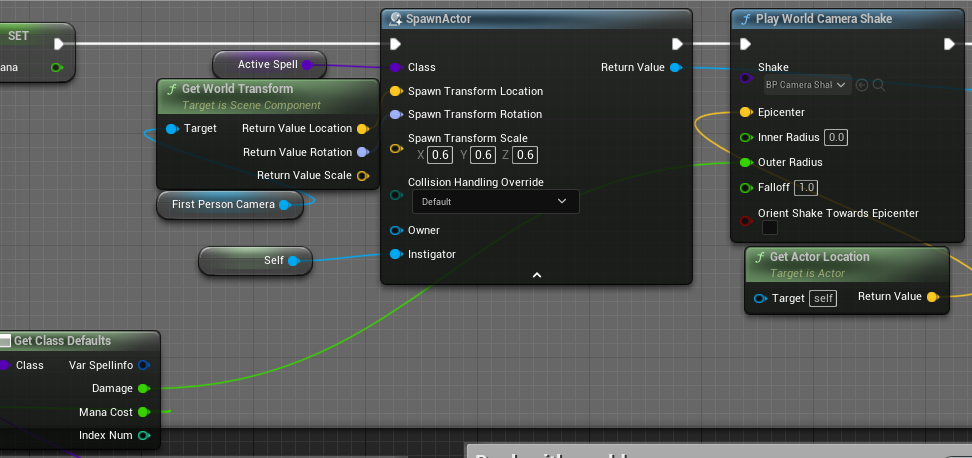
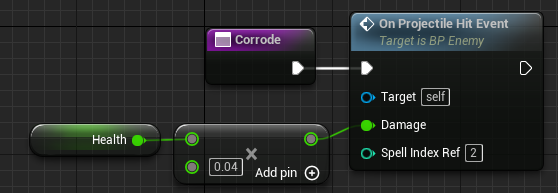
A quick bugfix, I noticed that the burn and corrode spells did less damage overtime and would not kill enemies, and then realised I use health instead of max-health. After putting max-health back in the math, the spells are now working as intended and are really nice to use.
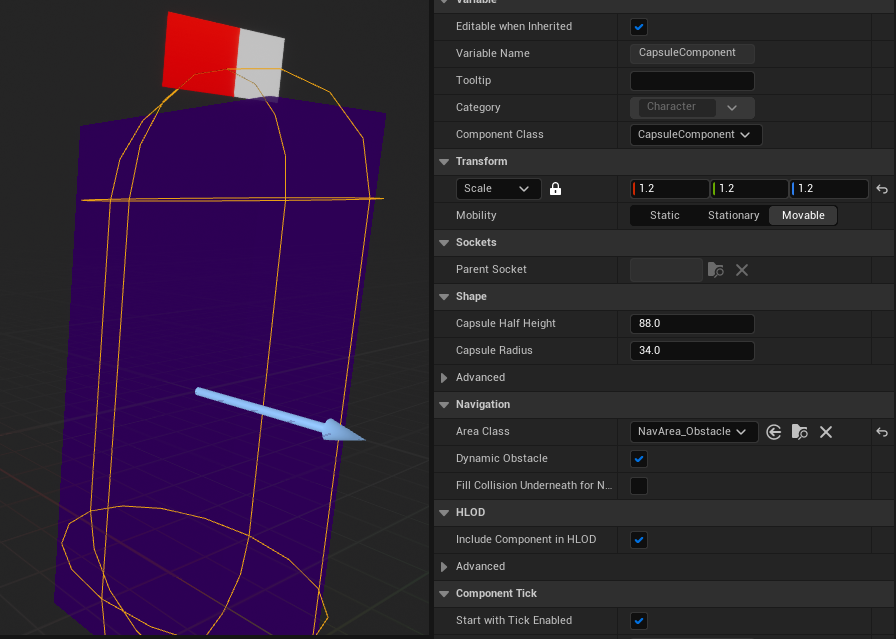
Another issue I found while testing the camera shake is that the enemies aren’t very consistently hitting the player, looking at the enemy in viewport, the capsule component is small than the cube I used to give it a visual body, I scaled the capsule component up to be larger and this has made hit events much more consistent.
The spells can also be improved here in the master spell class regarding sounds and lifespan.
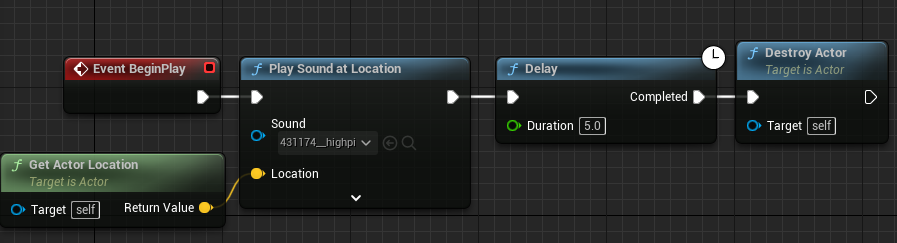
Delays are bad, instead we can use set life-span instead of delay and destroy actor to get the same result.
For sounds, I can declare a variable for the cast and hit sound for each spell, making them all unique.
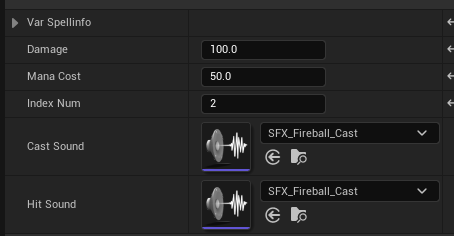
I love this solution, it feels effective and easy to change. This solution makes me a happy man.
I need a GOOD death sound for the player, unfortunately it is not the old man scream by Mordecai666, however it is one of the other sounds from freesound.org made by that user. as much as I wanted to use the old man scream as a joke it just didn’t fit the context.
With that, I’ve so far added more sound effects, a different hit sound for the corrosive and frost spells – I’ve had to put a pin in this for now as I just realised I’m missing a few other bits of my submission.
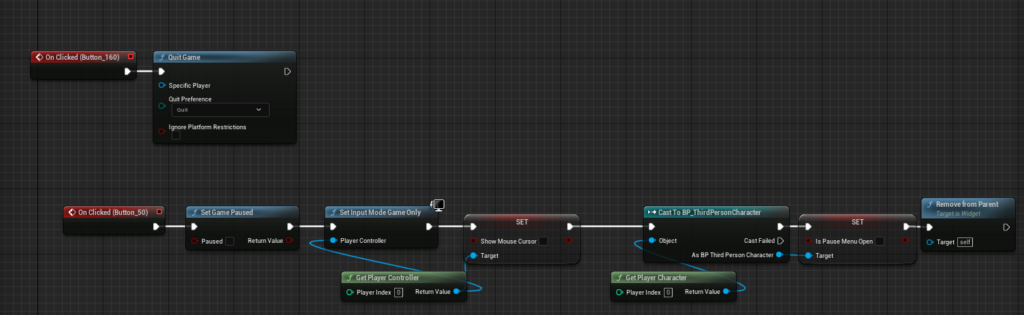
Coming back for a very last minute change, I’m keen on adding a pause menu so that players can take a break in the middle of a run but most importantly, have a much easier time closing the game. https://www.youtube.com/watch?v=Yr8beK9FMe0
I finished giving everything unique sounds and updated the start screen with a piece of artwork.
Last change I want to do is swap corrosive and freeze spells around. I swapped all list orders and index numbers.
A big flaw I only just refound out is how poorly handled data structure is, the list of 4 values needed when reading anything spell related is taking the spell index and taking information out of unique select sequences instead. In future it would be grealtly beneficial to find a better way to draw data from one specified object in a list.
This is as complete as I think I’m going to get it before the hand-in, no other changes are exactly necessary and I think the game is great for an MVP.