Following up from my previous C++ practice, I need to start applying that knowledge to my hypercasual game.
Looking at my game, I’ve got two choices, I either take a copy of the prototype blueprint and try to swap the controller blueprint with C++ files or make the game in C++ and add the blueprint widgets to support it. I think it would be good to start simple and make a separate C++ prototype for the barebones mechanics.
Making a new project from blank, I found it confusing where to start from blank since you don’t have the same details panels that blueprint comes with, looking through online tutorials few people seem to even bother setting up C++ projects with a C++ game mode file over a blueprint one. My first task is setting up the player but I’m already having some trouble, I set up the blueprint version with all the player’s functionality on player controller but I can’t find online any resources instructing how to setup a controller on a C++ gamemode class, I looked at the third person template and set up a character blueprint instead of a controller.
I see I have a choice between pawn and a character for implementing input, as the player will not need to have a mesh, collision or movement I can use a pawn instead of a character file.


I made a ‘TestActor’ with a print string running on beginplay and tested it to make sure I have a working function for testing of the player has managed to load in the level. I added to the player pawn so I had a good way of knowing it has loaded into the game which it did not, it took a moment to remember that since I’m using a player pawn, I need to place it in the world first. Upon testing this I got my first good news for the C++ game, the player character has loaded.
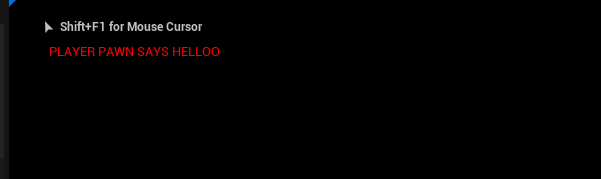
Next up is functionality, these are the primary tasks to get the core functionality going:
- 4 Variables (CO2Current, CO2Goal, TempCurrent, TempGoal)
- 4 inputs to increase/decrease CO2Current and TempCurrent
- StartRound Function (Randomise CO2Goal and TempGoal in range 0-100)
- print on deltatime the 4 variables.

Declared my 4 floats.

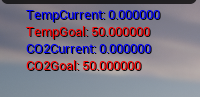
Implemented a tick to display them.
I’ve ran into a problem however where I cannot seem to include the necessary input library to the actor.
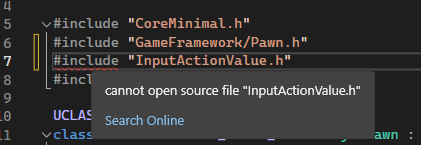
It seems to be an issue with having a pawn for the player over a character, I’ll set up a character file the same way and see if that fixes things.
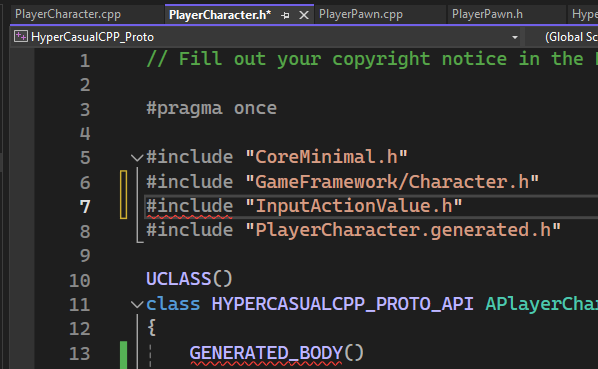
The issue persists on the character class, I tried looking at solutions such as the one on this post https://forums.unrealengine.com/t/cannot-open-source-file-name-generated-hc/413312 but it hasn’t resolved it.
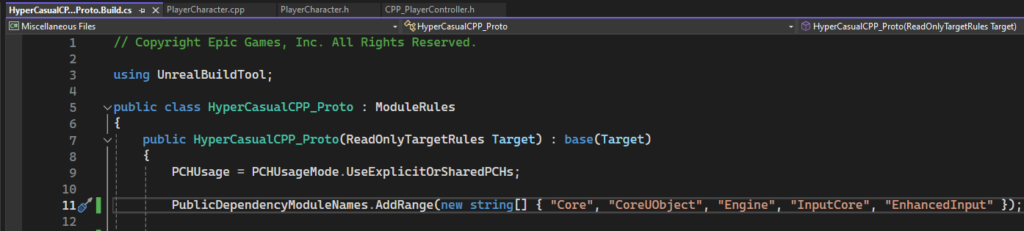
I’ve eventually found including it in the build.cs file in this manor did not remove the red line but allowed the code to compile without error. I’m not sure if this means the code will be fine but I’ll proceed with adding inputs to see if it will work.
I think working from a blank project has added far too many troubleshooting hurdles, I think it would be worth switching to a different unreal template to work off of.
I’m working on CPP_Template now