This is all the development I have documented for the past month, rather than make a series of seperate weekly posts where development was very on-off, I’ll upload this document to cover what I’ve got so far.
To start off, I’ve listed some of the core plans I have for the MVP.
First-Person game, dash, Health, mana, xp, gold
Mock UI for currency elements.
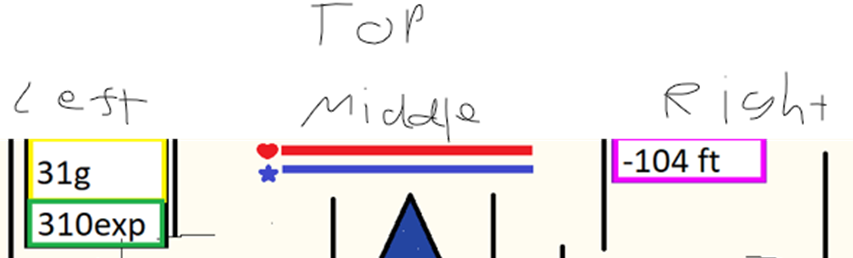
Spells – implement the similar previous system of having 4 spells to cast and spell selection:
Freeze, Fire, Corrosive, Lightning (just do basic ball and material for now,
Punching bag enemy – basic enemy to test spells on and try some basic behaviour trees.
Mana costs, Spell statistics.
Enemy display health and spawn in a sequence, damage and kill player.
Interact function – for pressing buttons and interacting with NPCs.
Mockup Elevator – Press a button and increment a ‘depth’.
Descent Illusion – Create Gameplay boundaries for the elevator, walls ‘rise’ on a loop.
Dash – https://www.youtube.com/watch?v=4475eJZ5Vec
06.03.2023
Loaded up a first person game but then decided I want to work off the third person template, project name BottomlessTowerMVP_2
+Added first-person functionality, and switch between functionality.
+Added the tracking bars for health and mana. Hud for gold, xp, depth and score.
12.03.2023
- ?Need passive regen rates for health and mana. Adding var for the rates.
Health/Regen needs to be called when the player doesn’t have max health or mana, it would be unwise to check for this in a tick event as it would need to check an if statement every frame. Instead I will create a function/event that is called when the player casts a spell / takes damage which starts a timer where once it ends, they regenerate a certain amount of health every tick – if they take damage / use a spell again, the timer is restarted. ** lower priority but good system, do later.
Spells:
From a previous project, I recall being able to create a structure of information for an inventory system, I believe this is a similar appropriate use case where I can easily set up a structure of information for each spell and much more easily edit them as their variables are isolated from the rest that I may potentially use for spells.
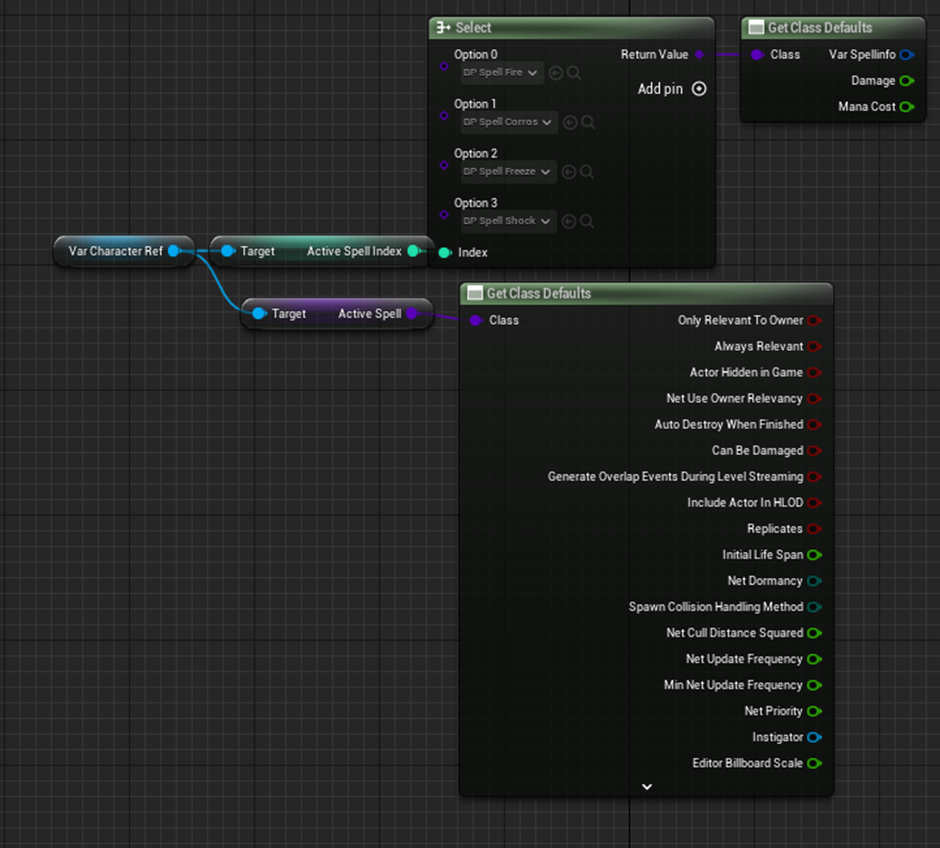
Upon attempting this, I have been struggling to figure out a way to call these variables from the class objects. I’ve assigned damage and mana cost to each spell blueprint individually to see if I have any success. Tried storing the active spell as a variable on the player that the HUD could call but it seems I have to instead use an index and a select function with all the spells in order to access spell variables like damage and mana cost – Upon further investigation, this is because the select function return value is returning a reference to the class whereas the variable is storing a reference to the spell actors.
+spellcasting, spells and switching inbetween them + spell UI.
+Punchbag enemy, can be stunned by hitting with spells and “knocked-out” when health is 0.
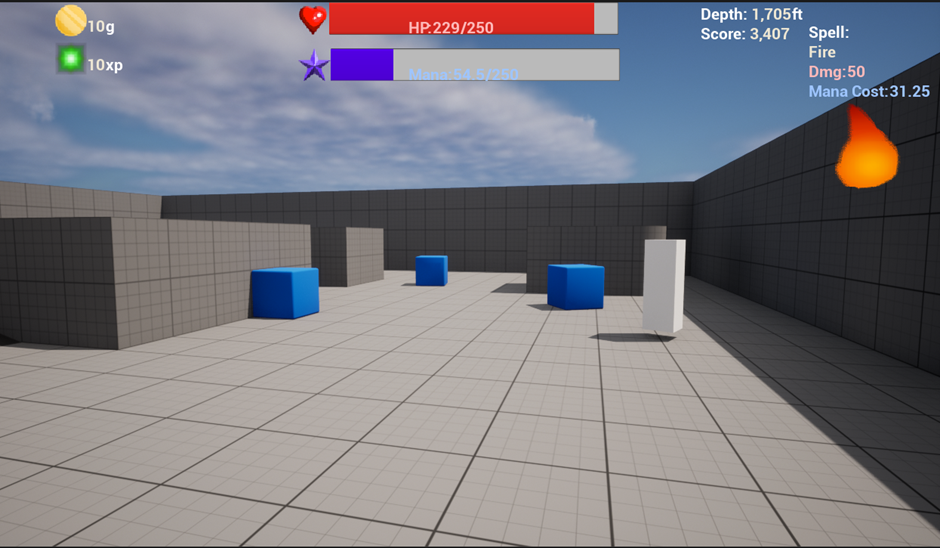
Next: Mana/health regen. Enemy Respawning sequence. Enemy behaviour tree. Dash. Gamemode controller, start button+interaction and lastly the level construction + elevator illusion.
Need to focus on core features, do in this order: the level construction + elevator illusion, Gamemode controller, start button+interaction
Mana/Health regen, a function that will increment the players health/mana by the regen rate variable every tick but only after a delay.
Descent illusion – material volumes
Make a level based on the previous illustration of the game – big transparent floor platform and walls around it. ?Can I make the walls one big layer? In event graph, make the walls increment on the y axis every tick and once they reach a set height, their y axis is reset to the bottom – could use material volumes to recreate this apparently.
I need a button to ‘start’ this sequence, needs interact functionality to work between the player and button.
I need to create a gamemode controller to handle some of the mechanics, I intend for this to handle the depth and score and logic for starting the descent mechanic (moving walls up and enabling enemy spawning). This may also handle enemy spawning too.
Use a volume to fade the top and bottom of building out before they’re looped back to the bottom.
This is a good effect but as it’s an effect I think it’d be best to leave until last on the level constrction.
Bottom layer needs a volume for easing in and top layer needs a layer for easing out and check for only the unit when the wall is full eased out.
The walls actors consists of one layer of walls around the playable map, each tick their Z axis is increased by one. For looping them back, first idea is to check the Z axis each tick for if they are equal to or greater than a height limit but this is not optimal since each layer will be checking for this condition every tick, I may have 6 to 7 of these in a game which isn’t ideal at all, fine to test how this looks but not great.
My preferred solution is to create another object which will trigger an event on the Wall_layer on a collision, the event should change the layer’s Z-Axis back to the bottom.
I had a go at following a “volume Dissolve” tutorial, I like the idea for making the walls of the tower gradually disappear at the top and appear at the bottom and the Niagara effect for masking the missing portions of the asset would be a great effect for the level however, as this is strictly a visual effect I’ll need to put it far down the priority list and treat it as a stretch goal. I’ll need to find an effective way to layout the grid for the Niagara particle grid aswell. It’s a simple but a little lengthy to set up.
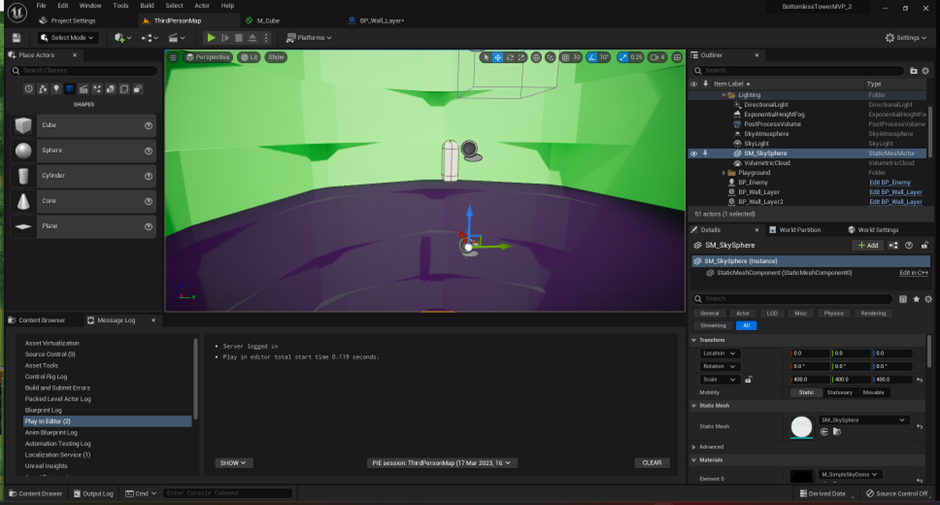
I’m now working on GameMode where I intend to start adding logic for the gameplay loop.
This will need to spawn BP_Enemy overtime.
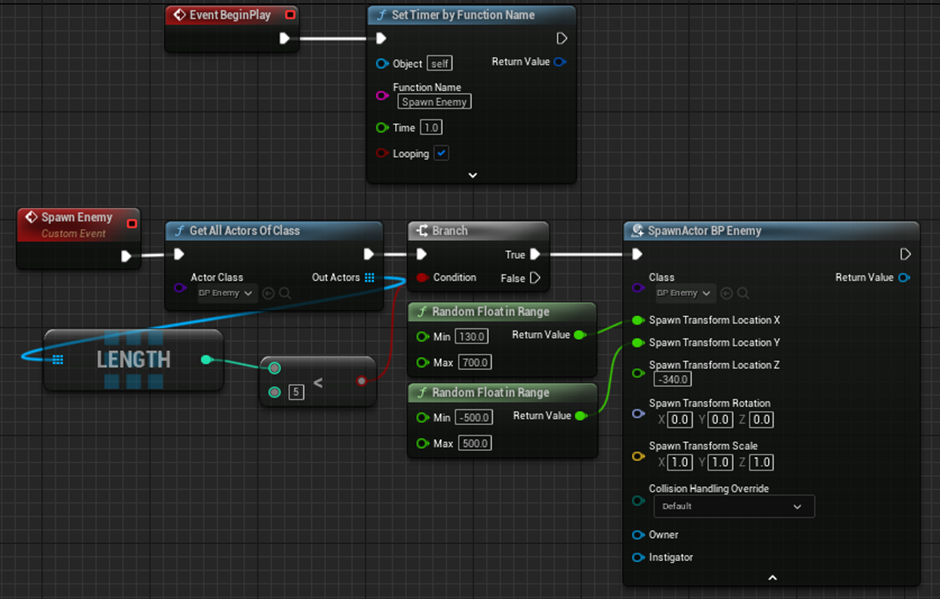
This first gameplay logic on an event graph in BP_ThirdPersonGameMode, I have a timer that loops and will trigger an event which will spawn an enemy. I thought the player quickly got overwhelmed so I added a limit to how many enemies there can be in the level, this would be in the final game anyway so it seemed like a good setting to add for now. The enemies spawned in however did not chase the player, after a little checking over settings I quickly found that the ‘Auto Possess AI’ setting was set to ‘Placed in World’ rather than ‘Placed in World or Spawned’.
Since the enemy can respawn, I can delete it when its health reaches 0 rather than disable movement/’stun’ to preserve a single enemy instance while testing the player’s combat abilities.
I’ve noticed that ‘Stuns’ are a popular mechanic in a number of games where if the player does enough damage to a target in a small frame of time then the target will stagger or be stunned for a brief moment, mechanics like this are integral to survival in levels with difficult enemies (high health, high damage). This could be integral to keeping the player engaged with the gameplay loop where they have more of a fighting chance against tougher enemies, and I may be able to increase the difficulty faster so the player doesn’t get bored (RESEARCH TOPIC).
Now that enemy spawning is in, it’s time to trigger all game events once the player presses a button. The events in question will be incrementing depth and score, spawning enemies, moving the walls and erasing the lift button.
I need to setup an interact mechanic for the player, which will work for both the button and future mechanics.
Feedback from a 28 year old post NUA postgraduate who used to teach game design:
“User interface needs absolute fool proofing for the player to actually register the information, assume the player is an idiot.
Mechanics are really best taught through a tutorial”. From this advice from a peer, I think it would be good to create an introduction to the tower before they can access the start button.
Say, the player could
Thursday 30/03/23
Today is Thursday, halfway through my first week off out of three and I’ve slacked off, fortunately Rich is still doing weekly meetings, just him I and James H turned up and talked about our projects and some other miscellaneous topics.
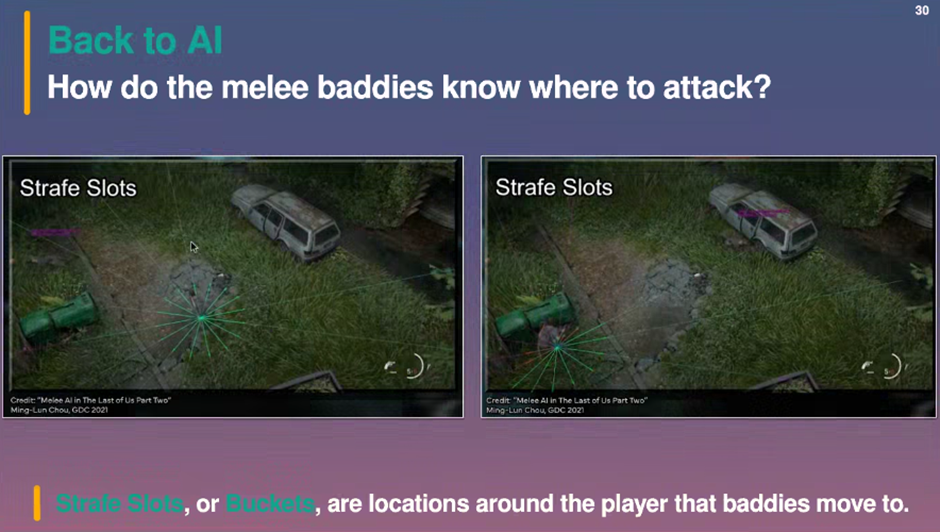
Rich has notes for me from his AI presentation to help me. “stafe slots”, Lines being drawn from the player. Think of them as a “bucket”, you baddy can pick out at random that isn’t full so they can come from that point. Bucket can’t be available when.
freesound.org is good for sounds if I want to add some to the game, which is a key element to add eventually.
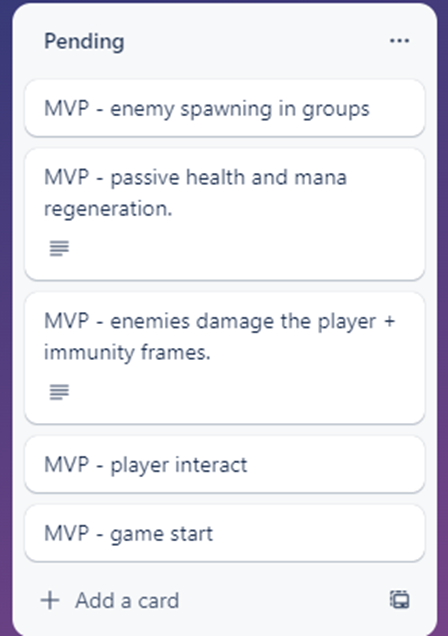
I ought to finish tuning the features I want in the MVP, to stay on track I have listed on Trello the main aspects I believe I need in the MVP as it’s very easy to lose
THURSDAY 06.04.2023
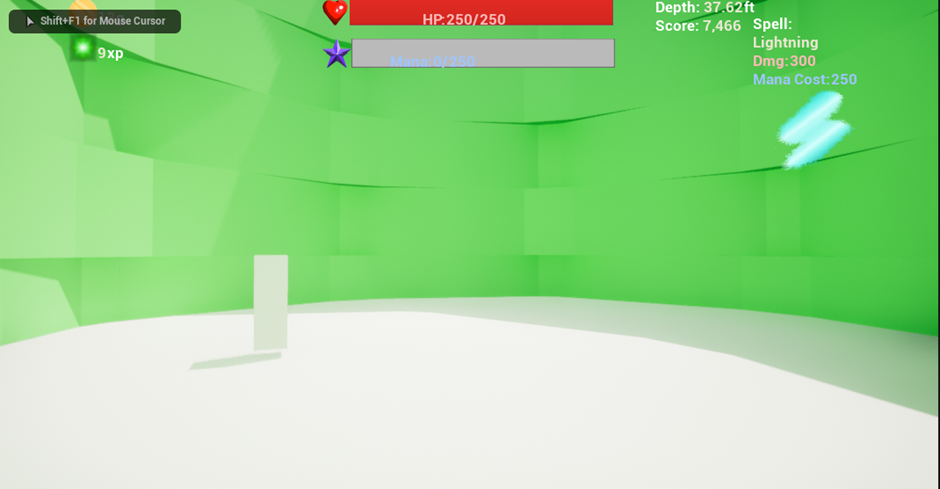
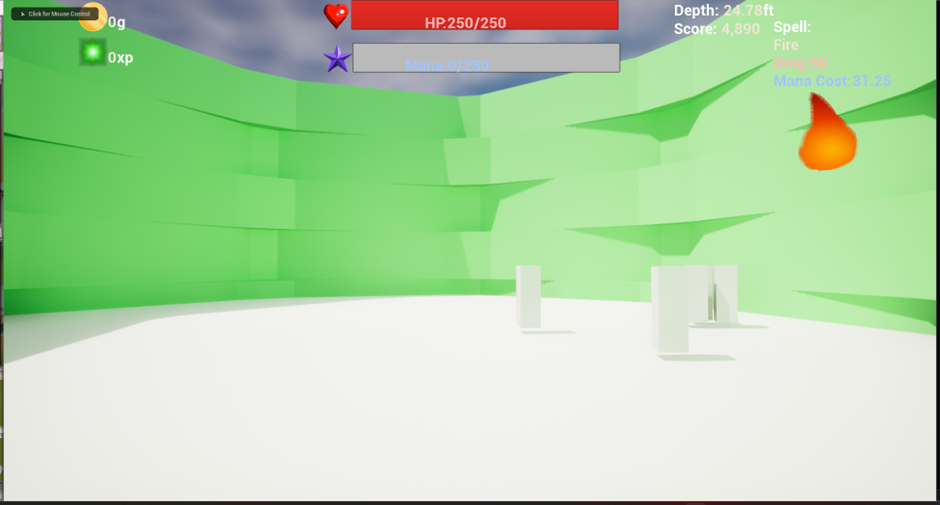
A brief snapshot of how the game looks so far but before I implement player damage, I think the tower needs to have a lot more space though if I want to implement group spawning as well as give the player enough time to turn around and react.
On top of this the enemies were moving very fast, they could cross over the arena in a very short time, this wouldn’t be too bad when working on certain enemy behaviour trees but for now I’ll reduce the enemy walkspeed from 600 to 150.
[DAMAGE TO PLAYER AND DAMAGE COOLDOWN]
Next integral element is to allow the player to take damage from the enemy.
A very simple way to apply damage is with unreal engine’s apply damage and event AnyDamage, it even automatically carries a damage type class which is perfect for the element damage stretch goal.

First issue is that the event is called every tick during collision so the player dies at a fast rate.
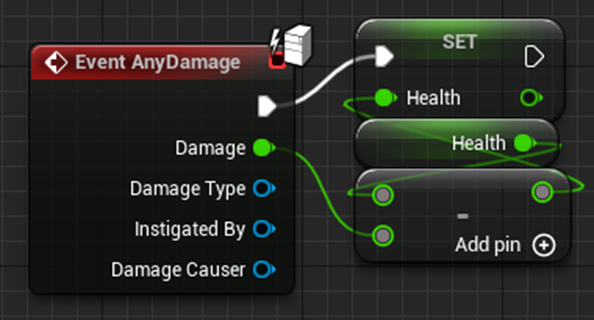
My first solution in mind was to add a do-once limit that was reset after a second onto the ‘AnyDamage’ Event, though I considered it would be a better coding practice to minimise how often this event was called and added to the hit event
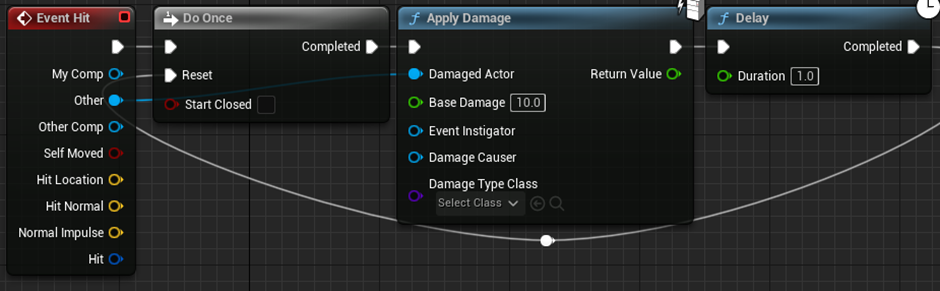
Upon playtesting, I then realised I had forgotten to consider that multiple enemies are present at a time and would be able to trigger a hit event at a given time
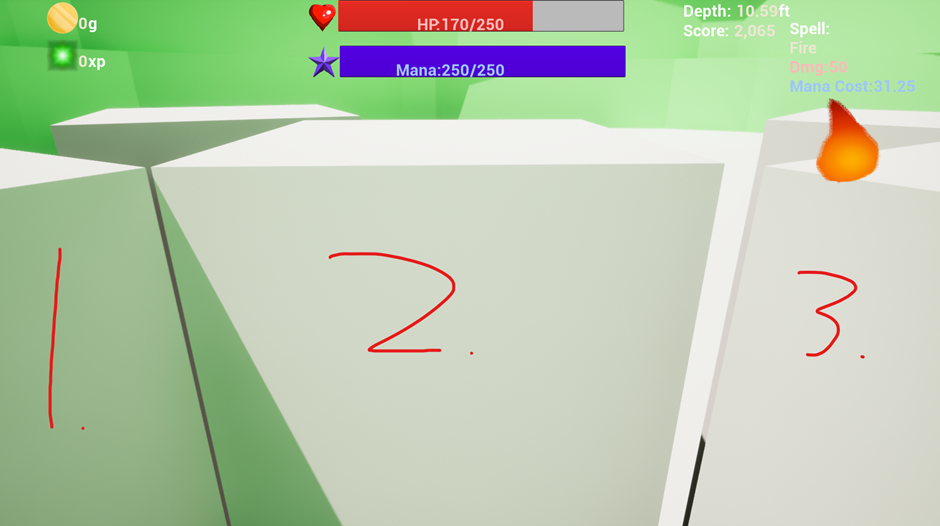
I’ve contemplated this kind of scenario in games before whether the rate at which players receive damage should be based on how often the enemies themselves are allowed to trigger damage or if the player should just have ‘immunity-frames’ so that they don’t die too fast.
This has a significant impact on the difficulty of the game as multiple attacks in quick succession can quickly kill the player if a cap is not implemented, in this instance where I intend to have a larger number of enemies the player may come into a scenario where they are suddenly killed, it would be worth both adding a tiny limit on how often the player takes damage and how often an enemy deals damage.
*Only after completing the interact code and look back to this did I realise I’m missing a failstate, something needs to happen when the player loses all health.
[INTERACT AND START BUTTON]
Next I’m planning on creating interact and start button, I want to get the ball rolling because I think it has a critical impact on the feel of the game, it means that the level loads in an idle state where the walls aren’t moving and the enemies aren’t spawning, pressing the button and seeing these two factors change should nail in the feeling for the player that they’ve started the game and are now descending.
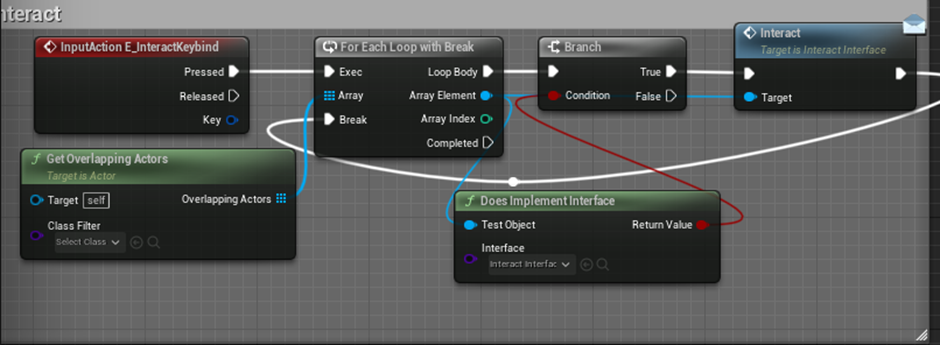
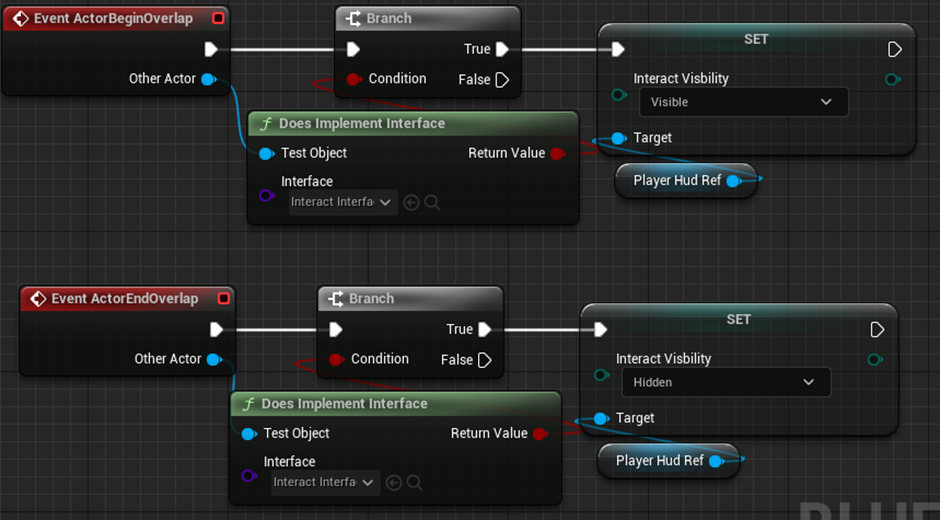
I’m implementing interactions using an interface, I think this is a great system for calling all possible interact events for the player in future, mainly the vendors I plan to use in future.
Following previous experience and examples online, I’ve set up an interaction interface as well as a button which
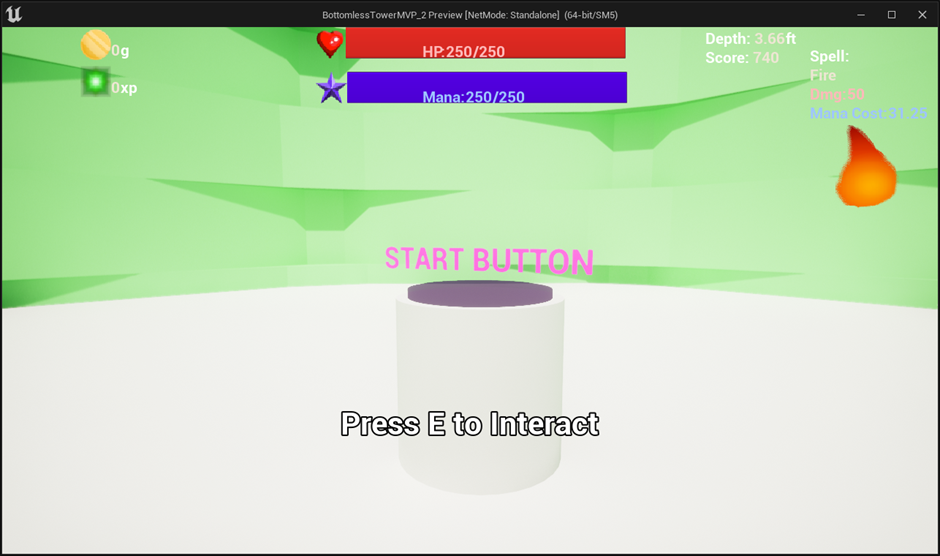
A guide I checked on to properly set up the interact element and updating a hud element implemented it all on the class that was being interacted with in the example rather than the player, in my game I’ve tried to make sure I follow better coding practices after watching the guide., in this case although I attached interacting to the player, I managed the overlapping event and hud adjusting to the object being interacted with rather than the player.
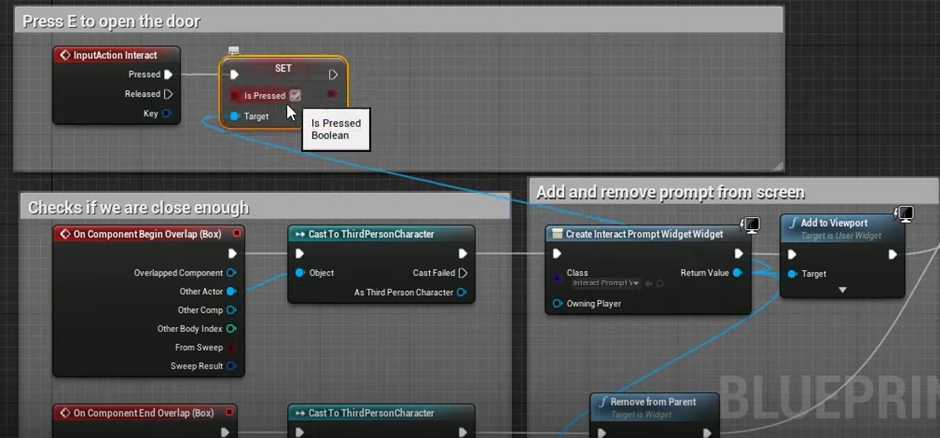
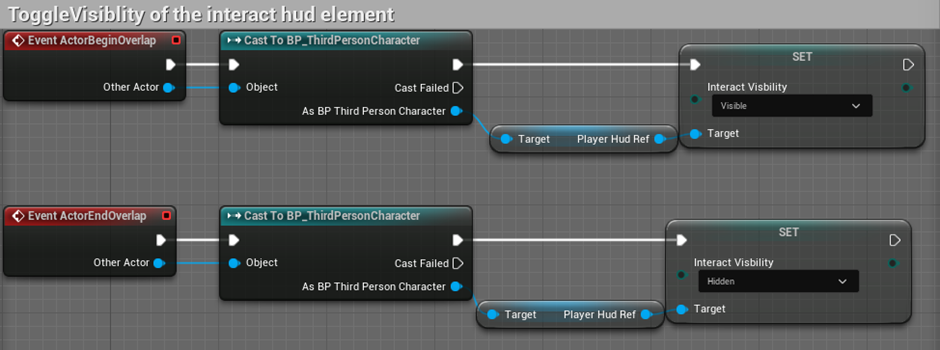
I intend to have multiple objects(Namely, vendors) that the player will overlap with in order to interact with them, it would be wiser to have the player hold this code rather than the object.
The game now has a lovely ‘start’ sequence, an easy to use start-button and once the button is pressed, the walls start moving and the enemies start spawning.
Teams meeting: [ Rich says MVP is pre-production phase element to “find the fun”, depending on the studio you may or may not use the MVP as the base for the final product (final product from MVP is more-so done for mobile games which focus much more on fail-fast formula to try and find products that playtesters find fun – I’ve learned about this recently too with Rovio who made dozens of games before they created their hit success Angry Birds.
In my MVP development, I’ve coded mechanics in a way with future-proofing in mind, though these methods required little adaptation and I haven’t spent time making advanced systems to work with future plans, I’ve questioned good/bad the MVP code can be in regards to being used to form a final product. Rich says don’t make ‘toilet code’ but find a good happy medium between being good and bug free and not write terrible code, it’s a balancing act between work quality and time spent you have to find overtime ].
For enemy spawning, break the arena down into a grid, don’t let enemies spawn in the grid near the player. BP_SpawnGrid?
Rich suggests making a lot of variables private, which I have more to learn about overtime but it’s mostly so that a lot of variables aren’t accessed when they shouldn’t and causes much less errors when compiling. This could be a great note for the final rpoduct
“Rich says Rubberducking, talking to someone/something and say your problem out loud can make the solution to your problem very clear” – This was quoted after I figured out a optimisation for my game.
The wall layer could have better code, instead of having a ton of walls with their individual timers, I should have a wall-Manager with a single timer that increments all wall layers each time, and sets their height automatically. Gamemode would be a good spot to hold this logic as the start_Button is already casting to that object to start the game.
*This note isn’t much for game dev but it’s an important note from Rich that there are some good work opportunities for graduates and post-graduates.

SFX Are a really good effect to use in games, Daniel H has suggested using metasounds.
This is quite messy so far as I’ve been dumping a handful of information so far into a long word document.
From today I intend to document my process working on the game directly to my wordpress rather than a word document, I think this would work best if each posts contained the work I did in that given week.
This may help a lot with my reflection as well on a weekly basis if I do a weekly reflection post on the work I’ve done in the given week.