First project I’ll be trying to make from a blank template, I’ll be first testing to see what works in blueprint before moving onto C++.
I’ve first broken down the tasks as follows:
Needs a menu with start | settings | exit | leaderboards(?)
“Game starts with a 60 second timer for the player to complete as many rounds as possible before the timer is over, each round the player has to adjust the temperature and Co2 levels to match a newly marked value with a slight margin of error”.
Each “round” will need the following to be randomly generated: a planet colour, 4 variables[current temp, max temp, current co2, max co2].
Once the player releases the button, the game will check if player has met the goal with a small margin for error, if this returns true for both goals then the next round begins.
There will need to be a widget for the temperature and co2 gauge with 2 visual buttons each to increase/decrease the level of the corresponding unit (For dev, will want to prototype using 4 keypress inputs and just print functions for the 4 variables, in the final I want the player to press these buttons via cursor or touchscreen input).
- Inputs
- Raising/Lowering Gauge values
- Rounds
- checking for round win condition
- game timers
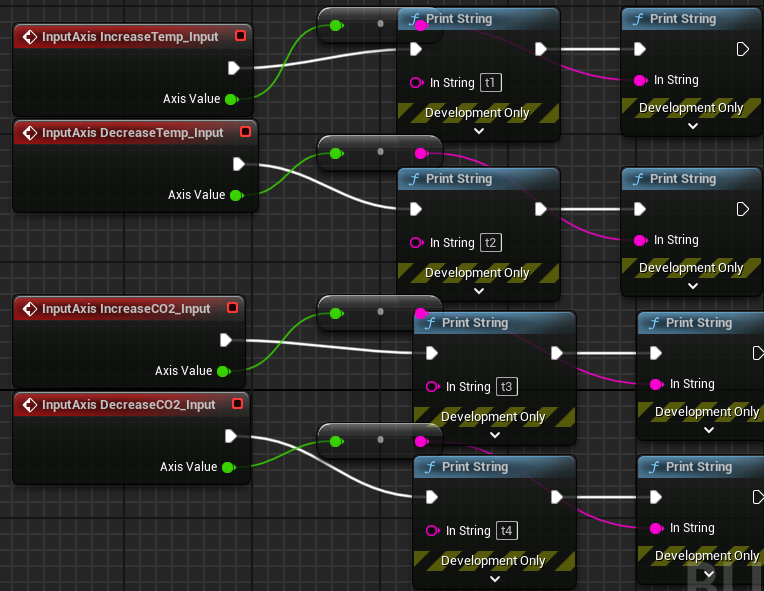
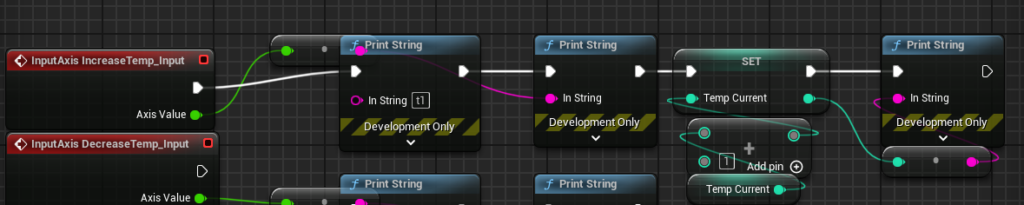
For my first test, I wanted to try using axis inputs so I can use the scales to increase/decrease the temperature and apply it every tick, which I want with each button press to increase/decrease variables for the duration of the press, they still run its following logic every tick so it’ll have to be minimal and optimal. I got ahead of my self and added the print functions without thinking about this so it ran print events every tick.
I moved the current gauge reading prints to a tick event to display the two changing numbers with delta time, and displayed the two gauge goals on a print that lasts 60 seconds as the numbers don’t change but need to be displayed for this time.
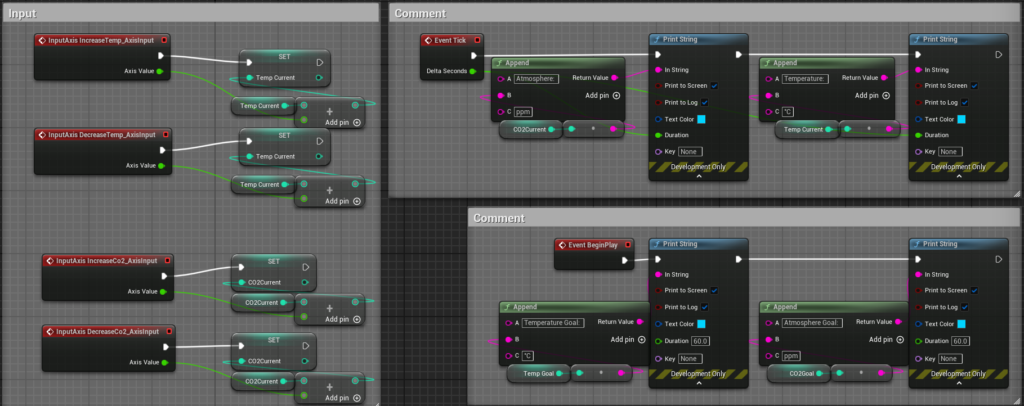
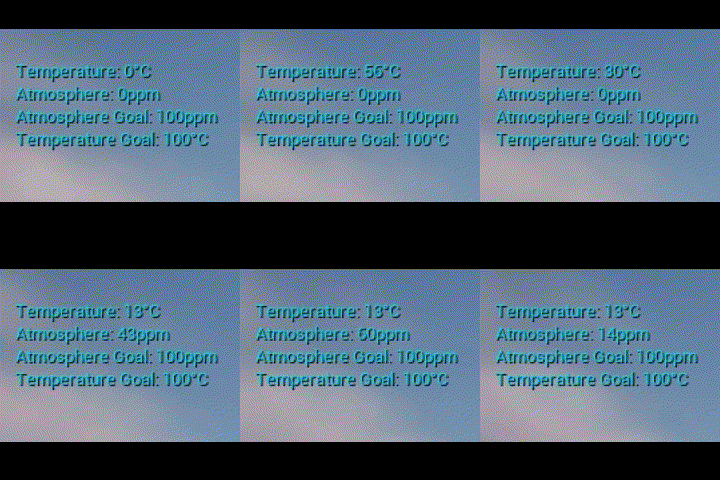
This is set fine for now, but I would like to add a lag to the number changing which would have a better impact when widgets are implemented. I was originally using trello to track my tasks for this however it went offline at the time of writing, I’ll temporarily move to ToDoIst to track my tasks.
I want to keep the gauge value and goal to stay between 0 and 100 so there won’t be any need to constantly normalise when it comes to setting up the gauges, but I’ve currently set up the values as integers where the minimum adjustable value per tick is 1 and is far too fast, so quickly I need to change the data type to float.
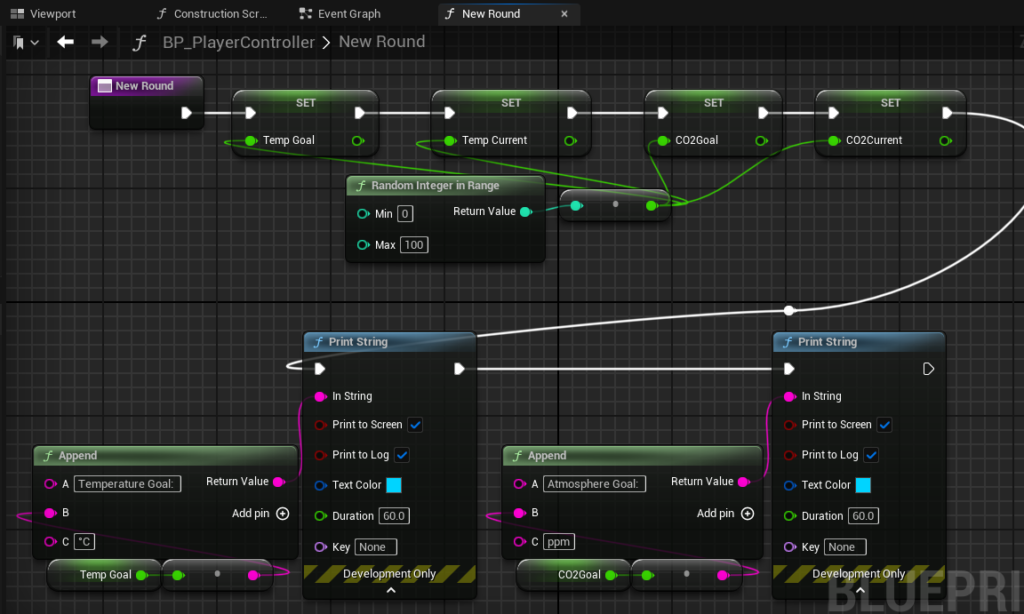
For setting up new rounds, I can plug a random-int-in-range to all variable setters before printing the strings.
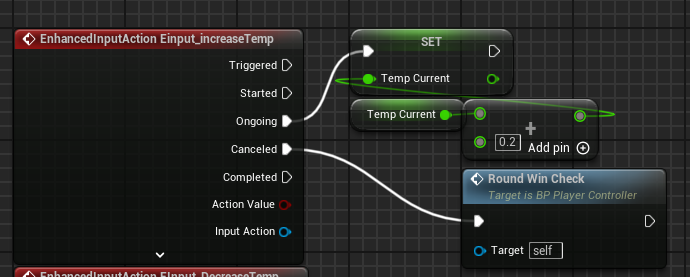
Next question is how do I optimally set up a win condition check, the best option I see really is on input key releases however this is only on action mappings by default rather than axis input releases. A solution I missed was Enhanced Input actions which is a new feature of UE5 and simple to set up in both blueprint and C++, these are really clean ways of adding numerous inputs for multiple platforms as well as trigger events in specific ways during inputs. This sounds incredibly optimal for changing variables while the input buttons are pressed and then running an if condition when released.
For the logic, C is current and G is goal, the formula to check for both temperature and CO2 is [C > G-10 AND C < G+10]
To further reduce confusion, I’m going to colour-code and reorder the prints (in the print feed I was comparing Current temp with Atmosphere Goal).
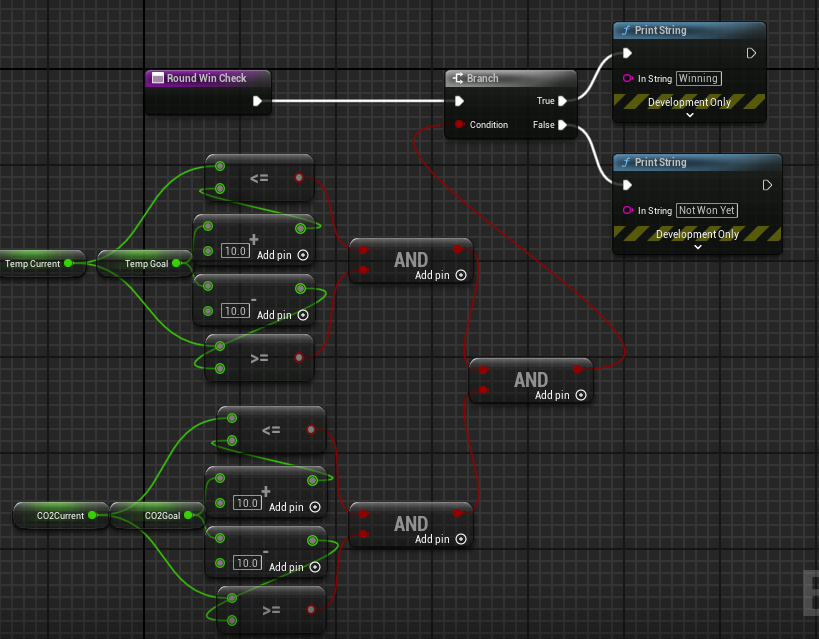
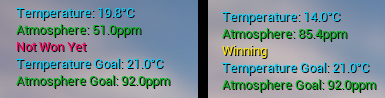
Breaking down the logic before blueprinting it made it quick and simple to set up first try, though I mixed up the two values before while testing so I colour coded them to make them stand out more for now and be less confusing, did the same for the branch.
Seeing as it works, I’ve added the new round function as well as text to indicate a new round is in play.
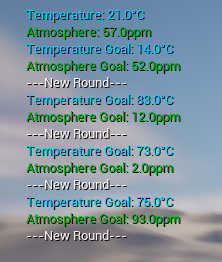
With the round system done, I can add a timer to stop the game.
After 60 seconds, I reckon the best way to stop the game is to disable input through the gauge controls. I’ve set up a function to start the game and another to end it by toggling the player input.
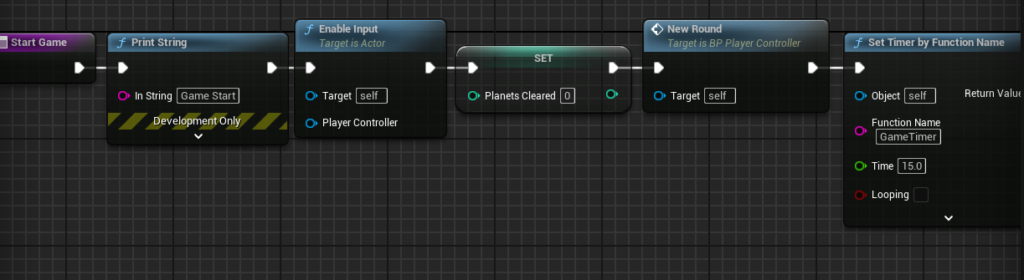

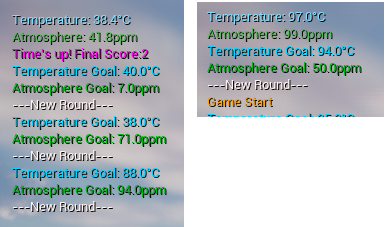
I think this is an effective prototype for the game using blueprints, it’s a proof of concept for the game idea with a very simplistic idea, it’s certainly missing something using prints instead of visual gauges.
Next steps the game needs is to test using widgets, adding a menu and moving to a C++ iteration of the game.
Before moving onto C++, I want to prototype the gauge widgets in order to visualise the variables in play.
I will use a progress bar to visualise TempCurrent and CO2Current out of 100, I will want to apply a clamp to the 2 variables beforehand between 0-100 as well which will need to be attached after the input events that adjust them.
I also need to visually mark on the progress bars where the player needs to make the bar fit, and I think a slider would work best for this.
I think it would also be good to display a score and a prompt when the game is over.
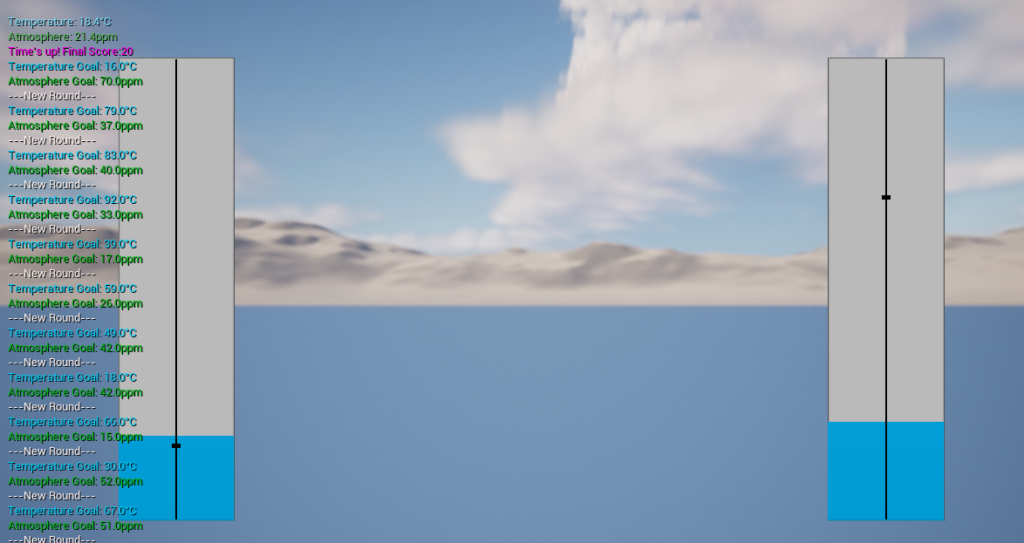
The widget is incredibly important to the feel of the game as the visual representation of the values the player is adjusting is much easier to follow in this format.
A really good bit of feedback was to ramp up the difficulty, I like this idea for keeping the game more fair and interesting, there are two changes I have in mind:
- Start with less time, each round the player completes adds a little extra time until completion.
- Difficulty increases via increasing the potential gap between the set current variable and goal variable. Currently both are random with little control outside of min/max range.
To improve this, a differently arranged limit could be made, setting a random goal then the current with a set range would be ideal. Basically, I want the set current value to not be within x units of goal. To do this for current, I can use a tree of [Random int in range] where one has min 0 max goal-range and another with min goal+rangemax 100.
Range will be an increasing game
?What to do when max is less than min
?what to do with the 2 random values??