
Tid-bit to start off, I noticed the “depth & score” variables start increasing on level spawn rather than when the start button is pressed, not to mention that score hasn’t been fleshed out properly yet either. I’d like to correct this before I continue as they tie into one of the future elements.
Tweaking Score:
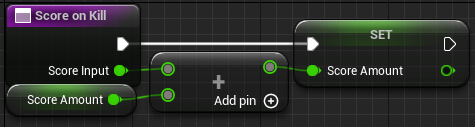
For the scoring, I wanted it to increase whenever the player kills an enemy and at the end of the run when the player dies I want the depth added to the score for a “final score”.
I believe this element is more relavent to ‘gamemode’ than the player so I’m moving it to that class rather than the player.
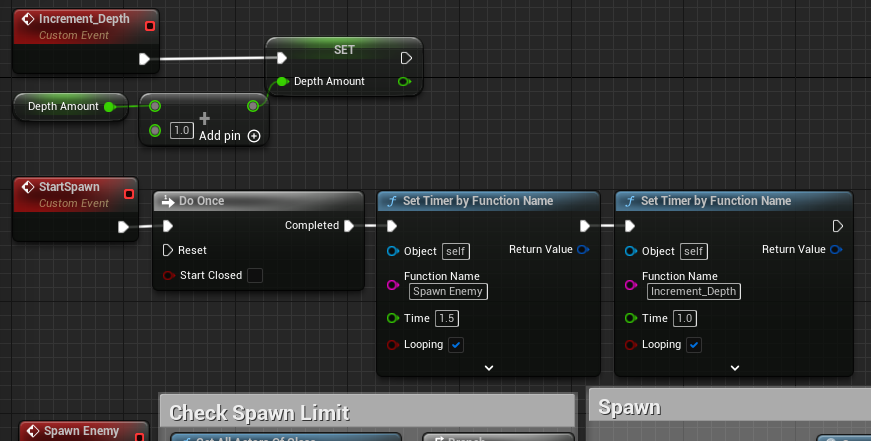
A very critical part I want to change is how I’m incrementing depth every tick, now that I understand setting timers for events/functions, I intend to create an event to increase depth by 1 every second. This is more efficient as per second this snippet is being called once rather than 60, and as unreal engine runs one tick every frame at 60 frames per second, the rate at which depth increases should be consistent if players run into any performance issues that result in lower framerates.
While updating the HUD widget to get score/depth from gamemode rather than the player, I noticed I had used a cast rather than ‘get actor of class’, previously I used casts before I found the ‘get actor of class’ action and stuck to it because it was easier to setup (required no object reference to tag) and more straightforward when I needed to target something in the game that there is only one of. According to this forum post, “cast is more efficient because you have the actor already” and you can be very specific with which actor of a certain class to call for, and I also recall that “get actor” may end up creating errors when none of the actor is in the level. I think overall casting will be best when I need 1 of an actor, if more is needed then I ought to use “get actors of class” though further evaluation should be given when it comes to that.
Lastly regarding this segment, I have finally used a function rather than an event as I didn’t remember how to create them or what they we called beforehand, and so looking them up completely went over my head.

While the enemy spawning in my level implement and working, I still need to do some more work on it before it’s up to par with what I intend. I want to test some more structured spawning with the following factors:
1.Spawn based on designated spawnpoints/coordinates.
2.Spawn in groups
3.Do not spawn too close to the player.
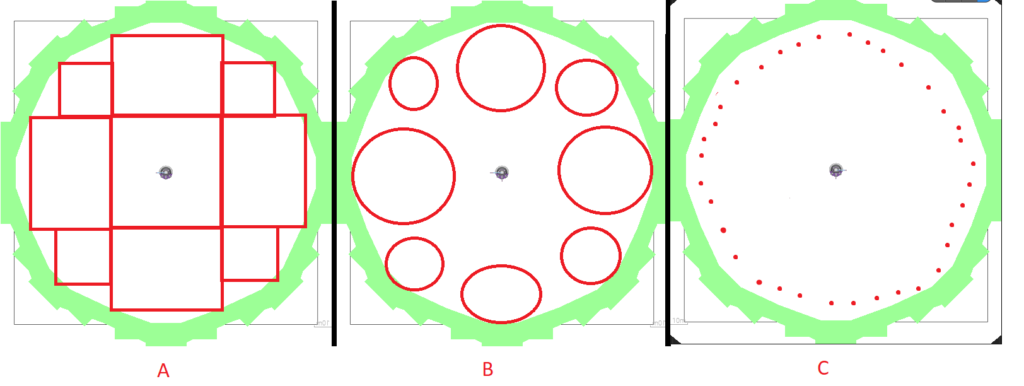
1. Here’s some ideas of how spawnpoints could work, all red figures are actors. Figures A & B are ‘spawnzones’ that can be used for checking collisions with the player using a shape collision, whereas figure C’s spawnpoints are more ideal for checking the range between the point and the player.
I can make an array using ‘get all actors of class’ to store all the spawnpoints for using in spawning, and one can be called to spawn the enemies in during the spawn sequence.
2. For group spawning, use a new integer variable for tracking how many enemies need to be spawned and once a location is found, spawn the group using a loop there.
3. For making sure enemies don’t spawn too close to the player, my first idea (working with C) is make gamemode check if the player is too close to the randomly selected spawnpoint and if they are, it loops again.
Or when the player starts a collision with a spawnzone (A & B), it removes that actor from the list, when the collision ends it could add the actor back to the list. I think idea works best with figure A as the player will almost always be within one of the spawnzones to trigger a collision, but with B the area covered by spawnzones is reduced tremendously to the point of it being ineffective due to a lack of collisions – Both still have the issue where a spawnzone near the player may still count as valid but I think this could be fixed if I give the player a large collision box as a ‘spawn protector’ to collide with the spawnzones.
I like the idea especially of using collisions retroactively update the valid list of spawnzones at it should be fluid and efficient, where as randomly selecting spawnpoints until one turns up valid is likely to loop for an undetermined amount of times and take up a lot on unnecessary calculations.
A solution to the randomly chosen point is I could make it select the next object index but I hesitate with this idea as it would mean enemies spawn much more often on the left/right most available space.
Another consideration is making sure the enemy spawns infront of the player in order to keep the combat focused in their field of view and also so the player can worry less about enemies spawning behind them.
For spawning, I have two ideas, take the actor location add random float between say -100 to 100 to X and Y, or use this function “random point in bounding box”, which returns a random point within the box of the spawnpoint.
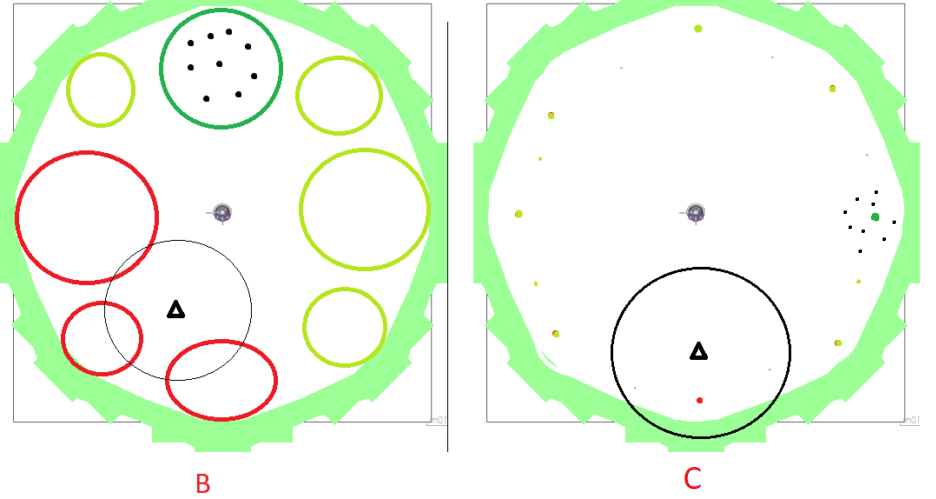
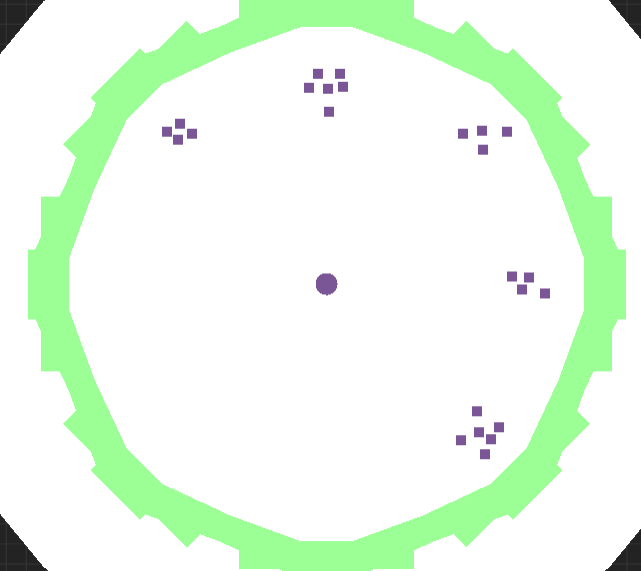
It’s a little tricky to notice the randomness in the enemy spawns in the game, I thought I ought to check this out using the top down view.
I’ve also added a loop to the enemy spawn action so that it adds a number of enemies per spawn sequence, I wasn’t sure how to make a randomly chosen item from an array persist through all loops without saving a variable so this is the way I’ve done it so far.
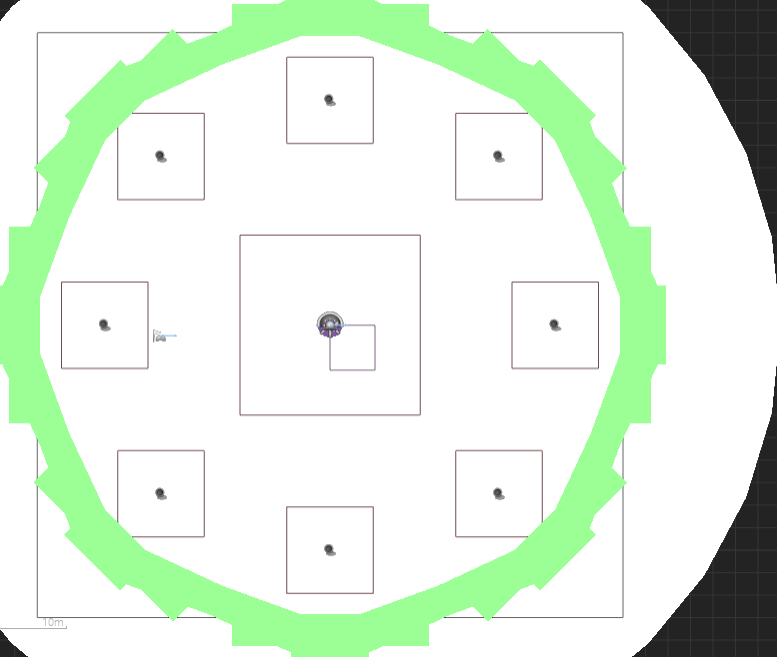

It’s working as intended.
I thought I’d stick to the square areas for spawning the enemy so I could use “random point in bounding box”, I liked its simplicity and how the spawn areas are visible in the editor meaning it’s clearer to see where the enemies are going to spawn and visualise it.
Group Spawns:
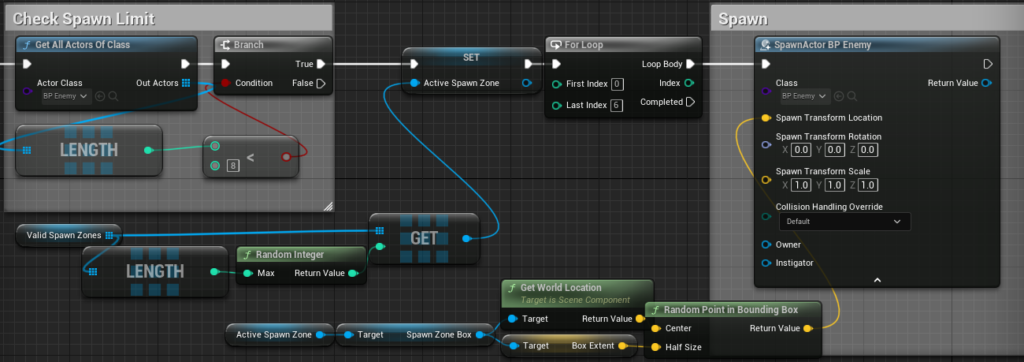
Snippet shows the blueprint now has a loop which spawns a random number of enemies between 2 and 6 to a single spawn zone.
Spawn Protection:
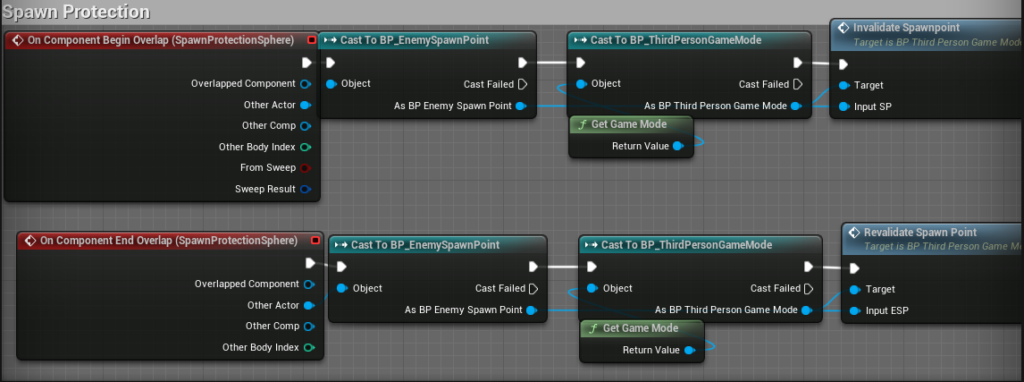
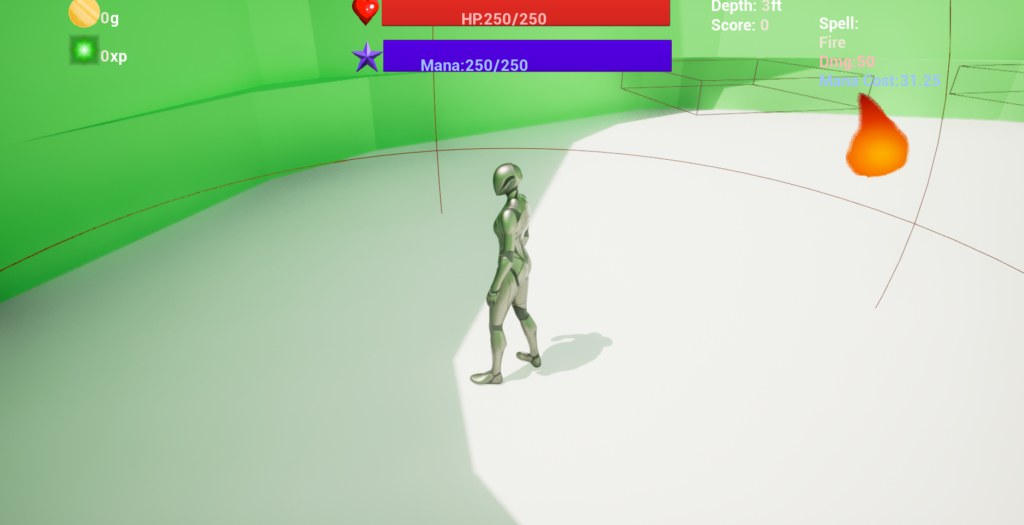
For spawn protection, I want to temporarily remove spawnzone actors that are too close to the player. This will be achieved by using a large collision box attached to the player to trigger overlap events and casts with the spawnzones to the gamemode.
My idea is to have a function called that will take the overlapped spawnzone and remove it from the list. While making this I noticed it had a bool output to confirm if an item had been removed, I thought this would be good to add a branch after so I don’t somehow add this object to the invalid spawnzone array when it wasn’t needed.
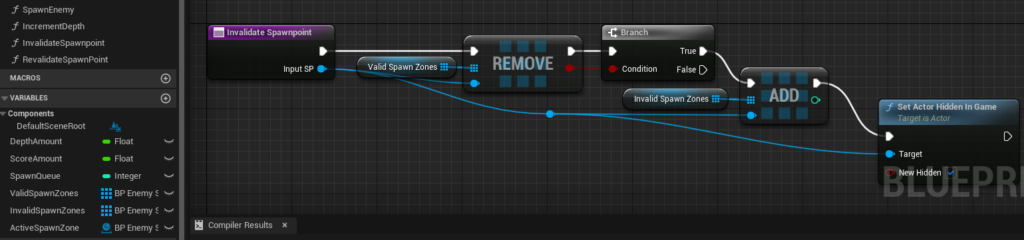
An identical function exists for adding back to the valid spawnzone list.
Quick change but I want to try and add a little more randomness to the spawn sequence, I’d like enemies to spawn a little more scattered around. I can do this by having a ‘spawn queue’ integer to quantify how many enemies I want to add in total at a time below a limit, I can choose a random amount based on that limit. I also want to add breaks to the loops so the spawn action doesn’t run once the limit is hit.
I found a better way of getting a random object from array, I initially had gotten the array length and used it an a random int action fed into a get copy action, but there’s a random class from array action that does all that for us.
Mana/Health Regeneration
Mana/health regeneration is a key element I need in the game for players to replenish health and mana to stay in combat for longer.
I intend to have an event called every 0.1 second after a delay that will increment health/mana, if damage is taken or mana is spent then the delay is reset.
I’ll use this timer and a matching one for health, both set on beginplay and paused. On spell cast or damage taken, the timer will be paused and after a delay, will be unpaused until at maximum again.

I was debating whether or not it’d be better to clamp the mana/health to its maxhealth/mana value or check every run if it’s hit max health/mana, clamping it means that this function is called every 6 seconds when it’s not necessary which is less efficient that calling a branch and a less than check.
I’ve got a branch that checks if the mana is greater than or equal to the maximum mana amount, but I’ve started noticing that the mana regeneration sometimes stops working. After 15 minutes of shooting spells to try and find the cause, I finally realised the timer pause for reaching max health was set to pause RegenMana by mistake and since it was constantly called it wasn’t being fixed by spells by casting (which pause and unpause the function timer).